
This process encompasses how to access and run reports related to CPM Adjustments.
Export a Filtered List of CPM Adjustments from the CPM Screen
1. From the Resources Menu on the left, select the Adjustments option.
2. Apply desired filters to the list of Adjustments.
3. Select the 'Export Adjustments' button option at the top of the screen.
Access the CPM Adjustments Report from the Reporting Folder
1. From the Reporting Menu on the left, select the Reports option.
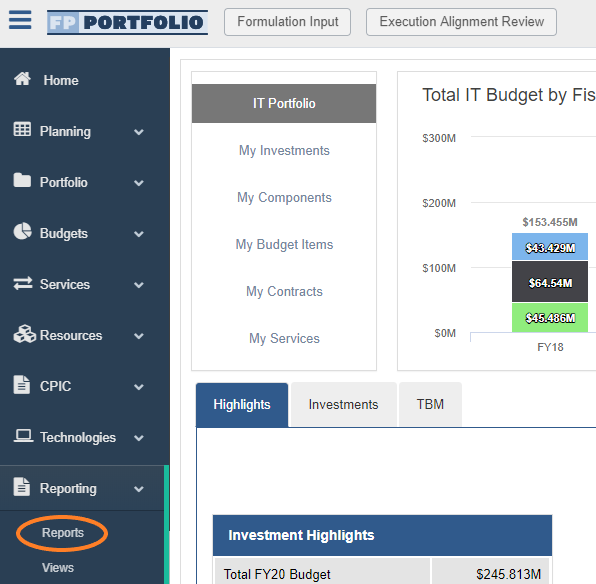
2. From the Funding Assignments and Adjustments Reports folder, select the CPM Adjustments report option.
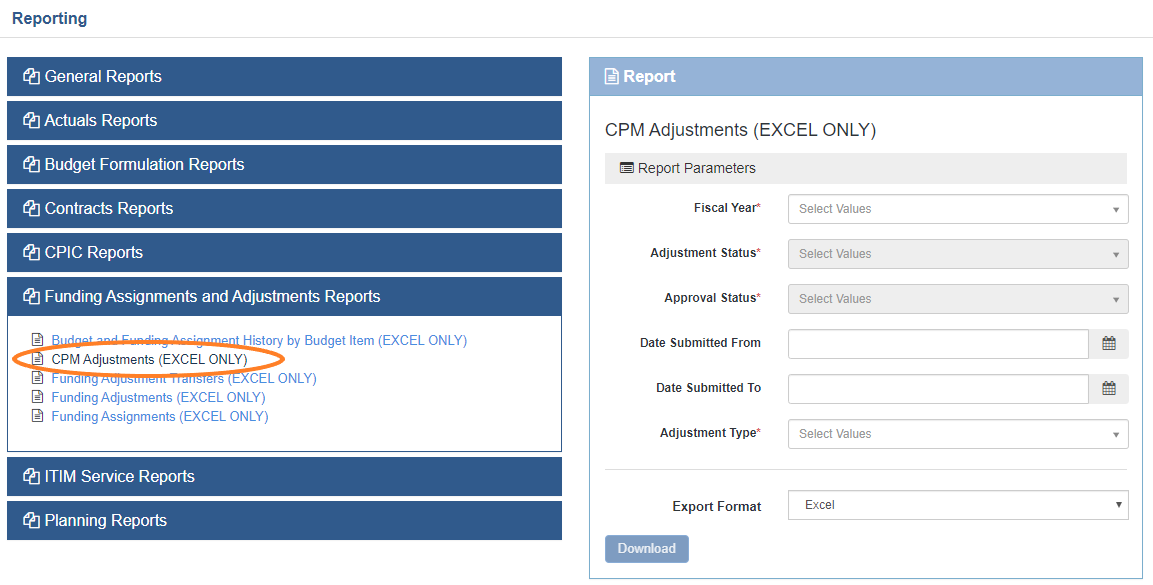
3. Apply desired filters and select the Download button.
Related Articles:
Comments
0 comments
Please sign in to leave a comment.