
This process encompasses accessing and downloading the Budget Items by Organization Detail report.
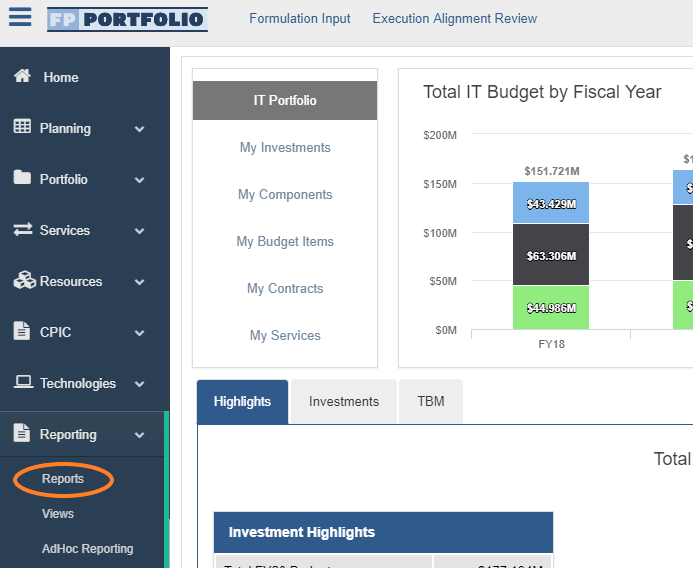
1. From the Reporting menu on the left, select the Reports option.
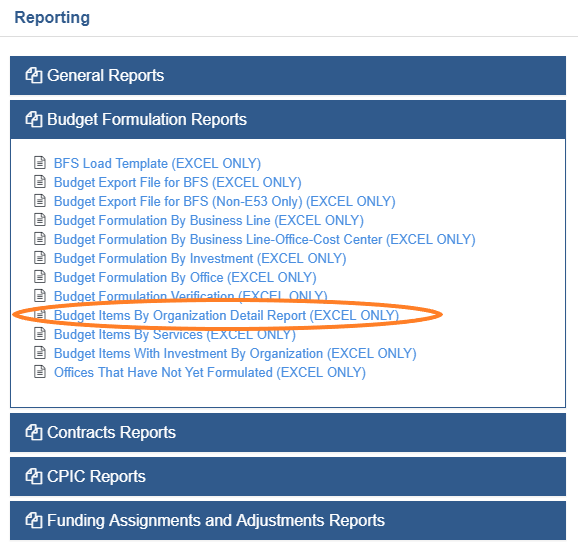
2. Once the Reporting page opens, select the Budget Formulation Reports Folder.
- When this folder expands, a list of Budget Formulation Reports will be displayed. Select the 'Budget Items by Organization Detail report option.
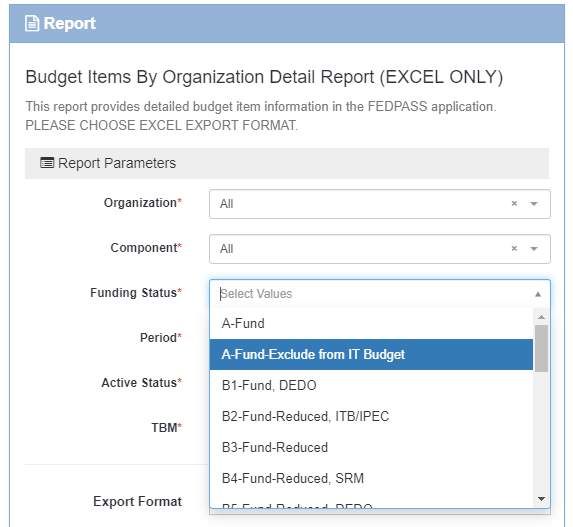
3. Add desired parameters for report download.
- Note that this report can be filtered based on Funding Status. It is recommended to download all 'Funded' status values.
- Additionally, if 'Yes' is selected for the 'TBM' parameter, the report will display all Cost Pool and IT Tower Information.
4. When all desired parameter values have been added, select the 'Download' button.
Comments
0 comments
Please sign in to leave a comment.