
This process encompasses how to update the Settings for CPM Adjustments.
Update Threshold Amounts for Auto-approvals
1. When logged in as an Admin User, select the Settings option from the Gears drop-down at the top of the screen.
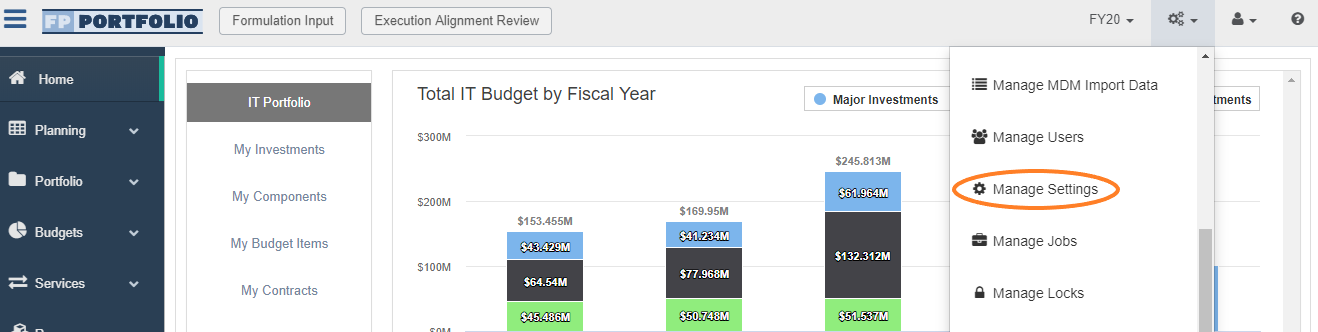
2. On the Settings page, scroll down to the CPM Import Settings area and select the CPMImport.Threshold.Value option.

3. Select the Edit Setting button option at the top of the screen.
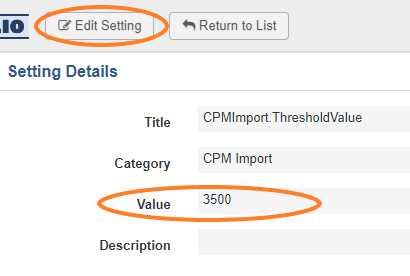
4. Update the Value field as needed (without commas or punctuation).
5. Select the Save button option at the top of the screen when done.

Add Reviewer or Approver Permissions to User Profiles
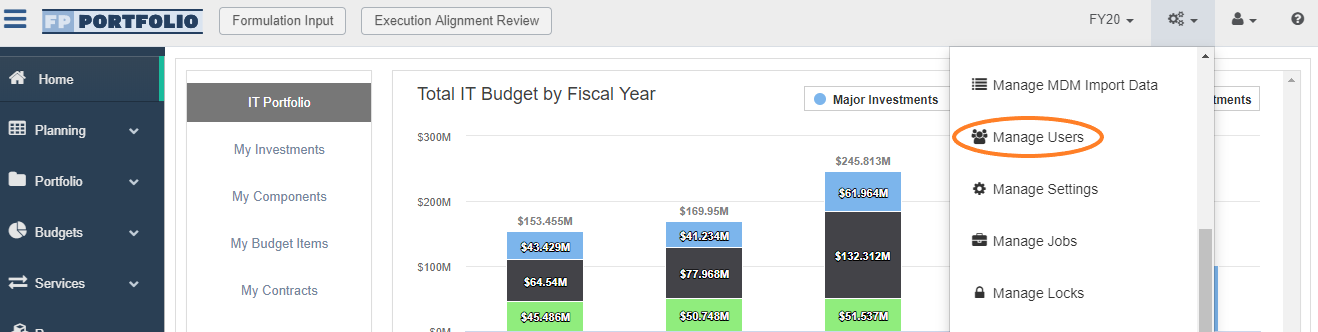
1. When logged in as an Admin User, select the Manage Users option from the Gears drop-down at the top of the screen.
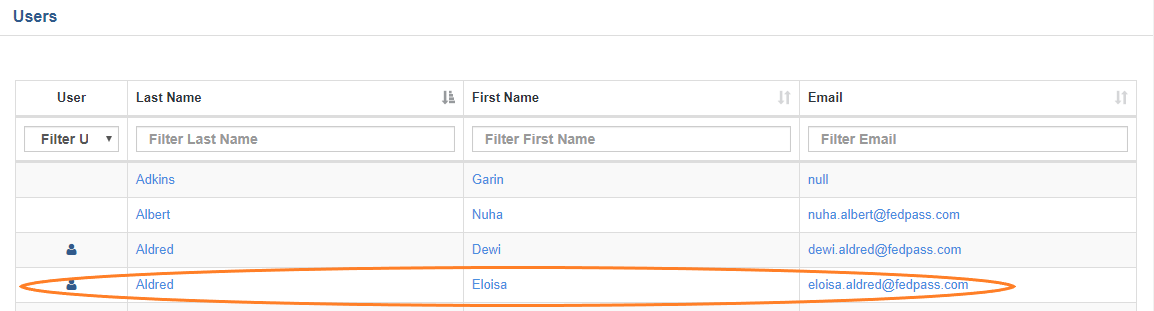
2. Select the desired User from the Users list screen.
3. On the User Profile page, select the Manage Access button option at the top of the screen.
4. In Finance section of the User's Domain Access select appropriate permissions.

- When Adjustment Reviewer check-box is selected, User will automatically be assigned both View and Edit permissions.
- When Adjustment Approver check-box is selected, User will automatically be assigned both View and Edit permissions, in addition to all Adjustment Reviewer permissions.
5. Select the Save button option at the top of the screen when done.
Comments
0 comments
Please sign in to leave a comment.